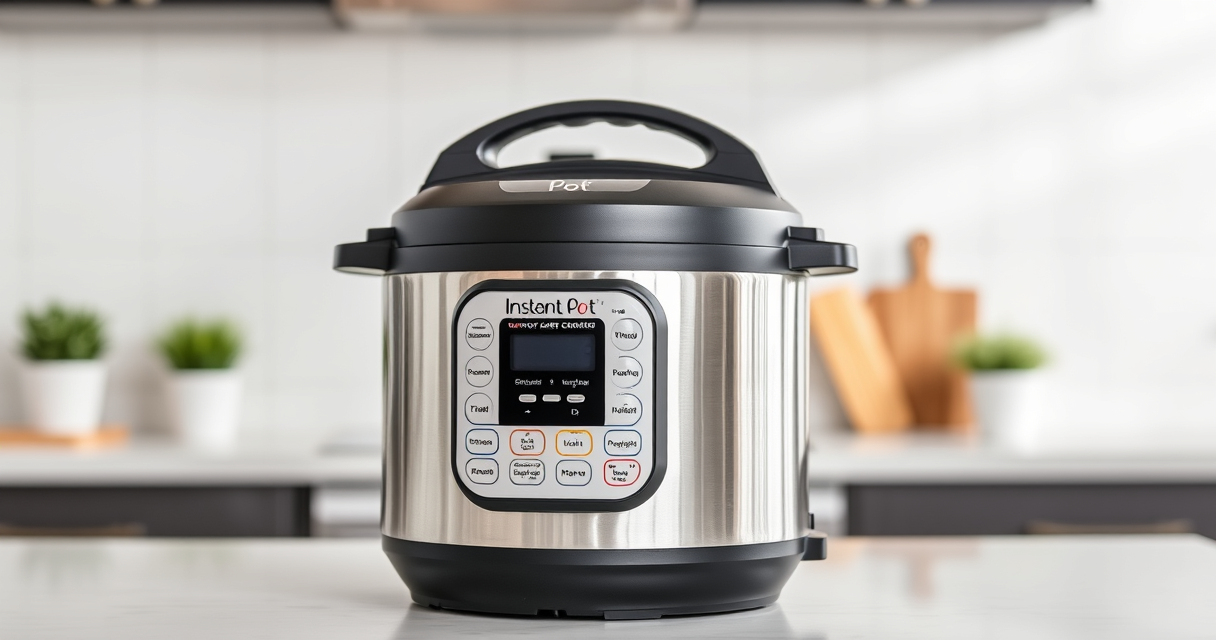

If your Instant Pot keeps displaying a burn error, it can be frustrating and disrupt your cooking plans. This error usually occurs when the cooker detects that food has stuck to the bottom or that the pressure build-up isn’t happening properly. Fortunately, most issues are fixable with some simple troubleshooting steps.
In this guide, you’ll learn practical, safe, and effective methods to clear the burn warning and get your Instant Pot back to cooking your favorite meals efficiently.
Key Takeaways
| Common Cause | Food sticking or burning at the bottom |
| Initial Step | Check for food debris or burnt residue |
| Preventive Tip | Always add enough liquid to the recipe |
| Key Maintenance | Ensure sealing ring and vent are clean |
| When to Seek Help | Persistent errors after troubleshooting |

Instant Pot Rio Mini 4 Qt 7-in-1 Electric Pressure Cooker, Black
- 7-in-1 Multi-Cooker Functions: Pressure, slow, sauté, steam, rice, yogurt, warm
- Compact and Space-Saving: Mini size with full cooking surface
- Ideal for Small Meals: 4-quart capacity for up to 4 servings
As an affiliate, we earn on qualifying purchases.
Step 1: Turn Off and Release Pressure
- Press ‘Cancel’ to turn off the Instant Pot.
- Carefully release the pressure using the quick-release valve or natural release, depending on your recipe.
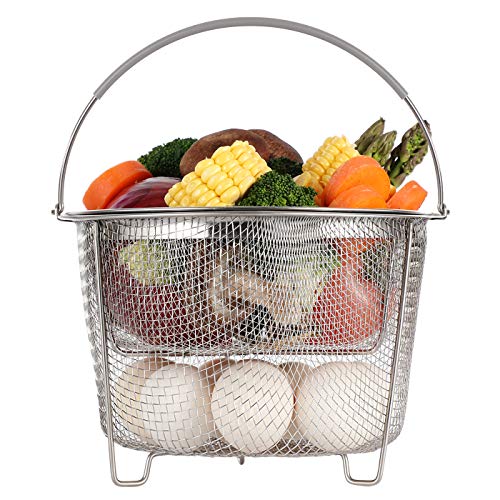
AOZITA Steamer Basket for Instant Pot Accessories 6 qt or 8 quart - 2 Tier Stackable 18/8 Stainless Steel Mesh - Silicone Handle - Vegetable Steamer Insert, Egg Basket, Pasta Strainer,Silver
- Two-Tier Stackable Design: Cook multiple foods simultaneously
- Versatile Instant Pot Accessory: Steams, strains, and prepares broths
- High-Quality Stainless Steel: Durable, dishwasher safe construction
As an affiliate, we earn on qualifying purchases.
Step 2: Open and Inspect the Inner Pot
Remove the inner pot and check for food stuck to the bottom. If there’s burnt residue, clean it thoroughly with a non-abrasive sponge and warm soapy water. Ensure no food debris remains that could cause burning during the next cooking cycle.
Step 3: Check the Sealing Ring and Vent
- Remove the sealing ring and inspect for cracks, deformation, or odors. Clean it with warm soapy water or replace if needed.
- Ensure the steam release vent and float valve are clear of obstructions.
Step 4: Add Liquids and Adjust Ingredients
When restarting, ensure there’s enough liquid in the recipe—at least 1 cup of water or broth—to prevent food from sticking and burning. Avoid layering thick sauces or ingredients directly on the bottom.
Step 5: Restart with Modified Settings
- Replace the inner pot, secure the lid properly, and make sure the steam release valve is set to sealing.
- Start the cooking process again, possibly with a shorter cooking time or lower pressure setting to prevent burning.
The Products in This Guide

Instant Pot 4QT RIO Mini 7-in-1 Multi-Cooker
- ✔ Color: Black
- ✔ Capacity: 4 Quarts
- ✔ Functions: 7-in-1

AOZITA Steamer Basket
- ✔ Capacity: Fits 6/8 qt pots
- ✔ Material: Stainless Steel
- ✔ Design: Stackable 2-tier
Instant Pot 4QT RIO Mini 7-in-1 Multi-Cooker
The Instant Pot 4QT RIO Mini 7-in-1 Multi-Cooker is a compact yet versatile kitchen appliance, perfect for small families or singles. Its multiple cooking functions and modern design make it an essential device for quick, healthy meals.
Pros:
- Space-saving design
- 7-in-1 functionality
- Easy to use controls
- Fast cooking times
Cons:
- Limited capacity for large families
- Slightly longer cleaning process due to multiple parts
- May require frequent sealing ring checks
Best for: Small households, quick meals, space-conscious kitchens
Not ideal for: Cooking large batches or multiple servings at once
Bottom line: A compact, versatile multi-cooker ideal for small kitchens and quick meals.
AOZITA Steamer Basket
The AOZITA Steamer Basket is a great accessory to expand your Instant Pot’s capabilities. Its 2-tier design allows you to cook multiple ingredients simultaneously while keeping them separate and easy to remove.
Pros:
- Two-tier stacking
- Made of stainless steel
- Easy to clean
- Versatile for steaming, boiling, and more
Cons:
- Requires extra space inside the pot
- Handles may get hot
- Not compatible with larger models
Best for: Steaming vegetables, seafood, or multi-ingredient dishes
Not ideal for: Cooking large roasts or heavy items
Bottom line: A practical accessory to maximize your Instant Pot’s steaming capacity.
Frequently Asked Questions
What causes the burn error on my Instant Pot?
The burn error typically occurs when food sticks to the bottom, there’s insufficient liquid, or the inner pot is not seated properly. Ensuring enough liquid and a clean, well-placed inner pot can prevent this error.
How can I prevent the burn error in the future?
Always add at least 1 cup of liquid, avoid layering thick sauces directly on the bottom, and keep the inner pot and sealing ring clean and in good condition.
Can I still cook if I get a burn error?
Yes. Turn off the Instant Pot, release pressure, clean the inner pot if needed, and restart with adjustments like adding more liquid or stirring ingredients before cooking again.
Should I replace the sealing ring if I get burn errors often?
If the sealing ring is cracked, deformed, or retains odors despite cleaning, replacing it can help prevent pressure issues and burn errors.
Keep Your Instant Pot Running Smoothly
Burn errors can be frustrating, but with proper cleaning, adequate liquid, and careful ingredient placement, you can often resolve the issue quickly. Regular maintenance of your sealing ring and vent ensures safe, efficient cooking every time. Follow these troubleshooting steps to keep your Instant Pot in top shape and enjoy fast, delicious meals without interruptions.
Affiliate disclosure: As an Amazon Associate we earn from qualifying purchases. Prices and availability are accurate as of the time of publishing.