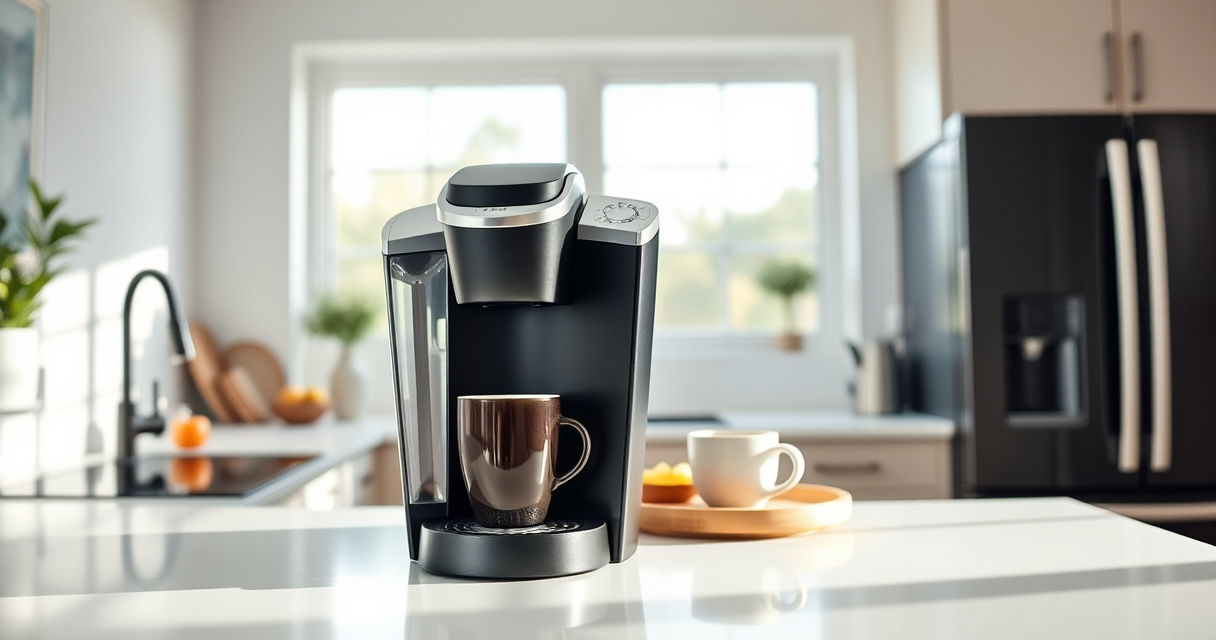
Keeping your Keurig K-Mini single serve coffee maker in top condition is key to enjoying fresh, flavorful coffee every day. Regular maintenance not only extends the lifespan of your machine but also preserves the quality of your brews. Whether you’re encountering issues like clogs, mineral buildup, or simply want to know the best cleaning practices, this comprehensive guide will walk you through practical, step-by-step instructions to maintain your Keurig effectively and safely.

Get kitchen gear delivered free with Prime
- Fast, free delivery on millions of items
- Prime Video, Amazon Music and more included
- Member-only deals all year
From descaling to cleaning the brew head, following these tips will help prevent common problems and ensure optimal performance. Plus, you’ll learn troubleshooting techniques for typical issues and recommended products for a thorough cleaning routine. Read on to become a Keurig maintenance pro!
Key Takeaways
| Regular Descaling Needed | Descale your Keurig every 3-6 months to prevent mineral buildup. |
| Clean the Brew Head | Rinse and clean the brew head regularly to avoid clogs and flavor transfer. |
| Use Proper Cleaning Products | Use descaling solutions and rinse pods designed for Keurig machines. |
| Avoid Harsh Chemicals | Only use recommended cleaning products to prevent damage. |
| Check Water Reservoir & Filters | Keep the water reservoir clean and replace filters as needed. |
Preparing for Maintenance
Before starting any cleaning or maintenance routine, ensure your Keurig K-Mini is unplugged to prevent accidental activation. Gather all necessary supplies: descaling solution, rinse pods, a clean cloth, and a soft brush or toothbrush. It’s recommended to perform maintenance every 3 to 6 months, depending on your usage frequency and water hardness. Regularly inspecting your machine helps catch issues early, keeping your coffee tasting fresh and preventing costly repairs down the line.
Descaling Your Keurig K-Mini
- Pour the descaling solution into the water reservoir according to the instructions on the bottle.
- Fill the reservoir with water up to the MAX line.
- Place a large mug on the drip tray to catch the descale solution.
- Run a brew cycle without a K-Cup, letting the solution pass through. Repeat until the reservoir is empty.
- Let the machine sit for about 30 minutes to break down mineral deposits.
- Rinse the reservoir thoroughly, then refill with fresh water.
- Run several brew cycles with just water to flush out any remaining descaling solution.
This process helps remove mineral buildup that can impact brew quality and machine longevity.
Cleaning the Brew Head & Water Reservoir
Regular cleaning of the brew head prevents blockages and flavor carry-over. Remove the drip tray and water reservoir, washing them with warm, soapy water. Use a soft brush or toothbrush to gently scrub the brew head and the area where the K-Cup sits, removing any coffee grounds or residue. Wipe the exterior with a damp cloth. For stubborn buildup, a mixture of vinegar and water can be used, but ensure thorough rinsing afterward to avoid taste issues. Keeping these parts clean ensures consistent brewing and prevents clogs.
Replacing Water Filters & Maintaining the Reservoir
If your model includes a water filter, replace it every 2 months or as recommended. Remove the filter from its compartment, discard the old one, and insert a new filter following the manufacturer’s instructions. Clean the water reservoir regularly with warm, soapy water, and dry thoroughly before refilling. Avoid leaving water in the reservoir for extended periods to prevent mold or bacteria growth. Proper maintenance of the water components ensures your coffee tastes as fresh as the first brew.
Troubleshooting Common Issues
- Machine Won’t Brew: Check if the water reservoir is filled and correctly seated. Perform a descale cycle if the machine is clogging or making strange noises.
- Clogged or Slow Brew: Clean the brew head and run a descaling cycle. Use filtered water to reduce mineral deposits.
- Leaking or Dripping: Inspect the brew head and seals for damage or buildup. Clean and replace if necessary.
- Unusual Taste: Descale and clean the machine thoroughly. Use fresh water and high-quality filters.
The Products in This Guide

Keurig K-Mini Single Serve K-Cup Pod Coffee Maker
- ✔ Dimensions: Less than 5 inches wide
- ✔ Brew Capacity: 6-12oz
- ✔ Weight: Approx. 4 pounds

My K-Cup® Reusable Coffee Filter
- ✔ Material: Recyclable plastic
- ✔ Capacity: Single cup
- ✔ Compatibility: All Keurig machines that accept K-Cup filters
Keurig K-Mini Single Serve K-Cup Pod Coffee Maker
<p>The Keurig K-Mini is perfect for small spaces and offers convenient single-serve brewing. Its simple design makes cleaning and descaling straightforward, ensuring reliable performance with minimal effort. Regular maintenance is key to keeping your coffee tasting fresh and your machine functioning smoothly.</p>
Pros:
- Compact size fits small spaces
- Easy to clean and descale
- Removable drip tray for quick cleanup
- Fast brewing process
Cons:
- Limited water reservoir capacity
- No on/off switch, auto-off only
- Requires regular descaling for optimal performance
Best for: Users seeking a space-saving coffee maker with simple maintenance
Not ideal for: Heavy users who prefer larger capacity or advanced features
Bottom line: The Keurig K-Mini is a reliable, space-efficient choice for quick, fresh coffee; regular maintenance ensures top performance.
My K-Cup® Reusable Coffee Filter
<p>The My K-Cup® Reusable Coffee Filter allows you to brew your favorite ground coffee using your Keurig K-Mini, providing greater control over strength and flavor. It’s an eco-friendly and cost-effective alternative to single-use pods, compatible with your machine for a more personalized coffee experience.</p>
Pros:
- Brew with ground coffee
- Cost-effective
- Eco-friendly
- Easy to clean
Cons:
- Requires measuring coffee grounds
- May need fine-tuning for grind size
- Less convenience than K-Cup pods
Best for: Coffee enthusiasts who prefer ground coffee and enjoy customizing their brew
Not ideal for: Users seeking the fastest, most convenient option
Bottom line: The My K-Cup® Reusable Coffee Filter enhances your brewing options while reducing waste.
Frequently Asked Questions
How often should I descale my Keurig K-Mini?
It is recommended to descale your Keurig every 3 to 6 months, depending on your water hardness and usage frequency, to prevent mineral buildup.
Can I use my own ground coffee with the Keurig K-Mini?
Yes, by using the My K-Cup® Reusable Coffee Filter, you can brew your favorite ground coffee instead of K-Cup pods.
What is the best way to clean the brew head?
Remove the brew head, rinse it with warm water, and scrub gently with a soft brush or cloth to remove coffee grounds and residue.
Why is my Keurig leaking or dripping?
Leaking can result from a damaged or clogged brew head seal. Regular cleaning and inspection can prevent or fix this issue.
How do I troubleshoot if my machine won’t brew?
Ensure the water reservoir is properly seated and filled. Perform a descaling cycle if mineral deposits are suspected. Check for clogs or blockages in the brew head.
Maintaining Your Keurig for Perfect Coffee Every Time
Routine maintenance is essential to keep your Keurig K-Mini functioning at its best. Regular descaling, cleaning the brew head, and replacing filters ensure that each cup tastes fresh and your machine lasts longer. By following these simple steps, you can troubleshoot common issues and enjoy your favorite coffee with minimal hassle. Remember, a well-maintained Keurig is the key to a consistently delicious brew day after day.
Affiliate disclosure: As an Amazon Associate we earn from qualifying purchases. Prices and availability are accurate as of the time of publishing.
Fall Picks
fall essentials
As an affiliate, we earn on qualifying purchases.