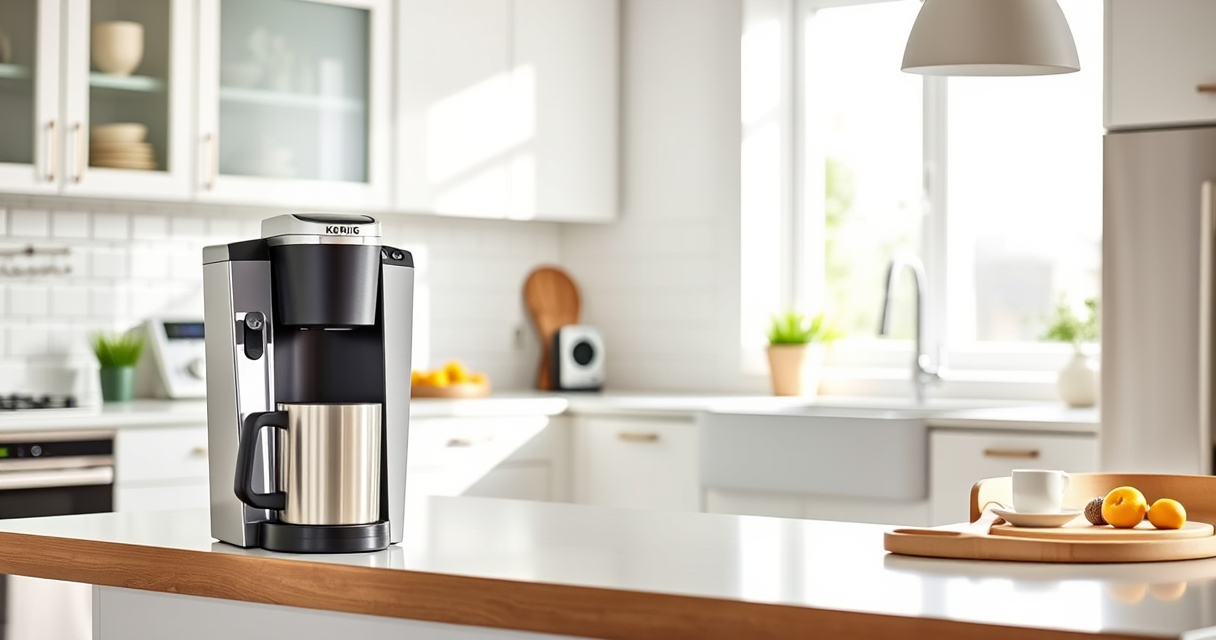
The Keurig K-Mini Single Serve K-Cup Pod Coffee Maker offers convenience and space-saving design, making it perfect for small kitchens and offices. However, like any appliance, it can encounter issues over time that affect performance. This comprehensive guide provides clear, safe, and effective troubleshooting and maintenance steps to keep your Keurig functioning at its best in 2026.

Get kitchen gear delivered free with Prime
- Fast, free delivery on millions of items
- Prime Video, Amazon Music and more included
- Member-only deals all year
Whether you’re experiencing brewing problems, clogs, or mineral buildup, following these practical instructions will help ensure your coffee stays fresh and your machine remains reliable for years to come.
Key Takeaways
| Routine Cleaning | Regular cleaning prevents clogs and flavor carry-over. |
| Descaling Importance | Descale every 3-6 months to remove mineral deposits. |
| Troubleshooting Steps | Identify common issues like no water flow or poor brew quality. |
| Use Quality Water | Filtered water improves taste and reduces buildup. |
| Proper Maintenance | Proper care extends your Keurig’s lifespan. |
Identifying Common Keurig Issues
Before diving into troubleshooting, it’s essential to recognize typical problems with your Keurig K-Mini. Common issues include the machine not turning on, water not flowing, weak or no brew, or frequent clogs. Understanding these symptoms helps you target the right solution efficiently.
In many cases, problems stem from mineral buildup, dirty components, or software glitches. Addressing these early prevents more significant malfunctions and prolongs the lifespan of your coffee maker.
Step-by-Step Troubleshooting
- Check Power and Connection: Ensure the power cord is securely plugged in and the outlet is functioning. Try plugging the machine into a different outlet if necessary.
- Inspect Water Reservoir: Confirm the reservoir has enough fresh water. Remove and rinse it if you notice any debris or mineral deposits.
- Clear Clogs and Residue: Remove the K-Cup holder and rinse it thoroughly. Use a soft brush to dislodge any buildup.
- Run a Cleaning Cycle: Use a rinse pod or run hot water through the machine without a K-Cup to flush out residue.
- Descale the Machine: Follow descaling steps (see next section) to remove mineral buildup that impairs water flow.
- Test Brew: Insert a fresh K-Cup and brew a cup. If issues persist, repeat cleaning or escalate to descaling.
Descaling Your Keurig K-Mini
Mineral deposits from hard water can clog your Keurig and diminish performance. Regular descaling is crucial, typically every 3-6 months, depending on your water hardness and usage.
To descale, use a descaling solution (like the Keurig Descale Solution included in the 3-Month Brewer Maintenance Kit) or white vinegar as an alternative. Follow these steps for safe and effective descaling:
- Fill the water reservoir with the descaling solution or vinegar, mixed with water as directed.
- Place a large mug on the drip tray.
- Run a brew cycle without a K-Cup, allowing the solution to flow through the machine.
- Repeat until the reservoir is empty.
- Flush with fresh water by running multiple brew cycles with just water to remove any residual descaling solution.
Never skip descaling, as mineral buildup can cause leaks, poor brewing, or complete blockages.
Cleaning and Maintenance Tips
Routine cleaning extends your Keurig K-Mini’s lifespan and ensures the best coffee flavor. Here are essential maintenance tips:
- Daily: Rinse the water reservoir and drip tray after each use.
- Weekly: Remove and clean the K-Cup holder and needle area with a soft brush or toothpick to clear any buildup.
- Monthly: Deep clean the exterior and wipe down the machine with a damp cloth. Run a rinse cycle to clear internal components.
- Use filtered water: To reduce mineral deposits, opt for filtered or distilled water whenever possible.
Following these steps helps prevent clogs, flavor carry-over, and mechanical issues, keeping your coffee fresh and machine reliable.
Tips and Warnings for Safe Maintenance
Always unplug your Keurig before performing any cleaning or maintenance. Avoid using abrasive cleaners or harsh chemicals that could damage the machine’s surface or internal components. When descaling, ensure the machine is turned off and cooled down before refilling with descaling solution.
If your machine still exhibits issues after troubleshooting, contact Keurig customer support or consider professional repair. Regular maintenance will maximize your Keurig’s performance and lifespan.
The Products in This Guide

Keurig K-Mini Single Serve K-Cup Pod Coffee Maker
- ✔ Brew Range: 6-12 oz
- ✔ Size: Less than 5 inches wide
- ✔ Material: Matte black finish

My K-Cup® Reusable Coffee Filter
- ✔ Material: BPA-free plastic
- ✔ Compatibility: Keurig models
- ✔ Dishwasher Safe: Yes
Keurig K-Mini Single Serve K-Cup Pod Coffee Maker
The Keurig K-Mini is an ideal choice for small spaces, offering quick brewing and simple maintenance. Proper care ensures it stays in top shape, providing fresh coffee every day.
Pros:
- Space-saving design
- Fast brew time
- Easy to clean
- Removable drip tray
Cons:
- Limited water reservoir capacity
- No on/off switch
- Requires frequent descaling in hard water areas
Best for: Small apartments, offices, travel lovers
Not ideal for: High-volume users needing larger capacity
Bottom line: A compact, efficient coffee maker perfect for small spaces and quick brews, with easy maintenance.
My K-Cup® Reusable Coffee Filter
The My K-Cup® Reusable Coffee Filter allows you to brew your favorite ground coffee with your Keurig, reducing waste and saving money. Its compatibility and easy cleaning make it a smart addition for daily coffee lovers.
Pros:
- Reusable and eco-friendly
- Cost-effective
- Easy to clean
- Compatible with various Keurig models
Cons:
- Requires ground coffee measurement
- Slightly slower brew time
- Needs regular cleaning
Best for: Those who prefer ground coffee and sustainability
Not ideal for: People seeking quick, disposable pod options
Bottom line: A practical, eco-friendly upgrade that enhances your Keurig experience.
Frequently Asked Questions
How often should I descale my Keurig K-Mini?
It’s recommended to descale your Keurig every 3-6 months, especially if you have hard water, to prevent mineral buildup and maintain optimal performance.
Can I use ground coffee with my Keurig?
Yes, using the My K-Cup reusable filter allows you to brew your own ground coffee, providing more variety and reducing waste.
Why isn’t my coffee hot enough?
This could be due to mineral buildup or a need for descaling. Regular cleaning and descaling help keep your brew temperature optimal.
My Keurig isn’t brewing at all. What should I do?
Check that the water reservoir has enough water, ensure the machine is plugged in, and clean the needle and K-Cup holder to clear any blockages.
Is it safe to use vinegar for descaling?
Yes, white vinegar is a safe, natural alternative to descaling solutions, but make sure to run multiple rinse cycles afterward to remove vinegar residue.
Keep Your Keurig K-Mini Brewing Perfectly Every Time
Regular troubleshooting and maintenance are key to ensuring your Keurig K-Mini continues to deliver fresh, hot coffee daily. By following the steps outlined in this guide—cleaning, descaling, and proper care—you can prevent common issues and extend your machine’s lifespan. A little proactive upkeep goes a long way in enjoying consistent, great-tasting brews for years to come.
Affiliate disclosure: As an Amazon Associate we earn from qualifying purchases. Prices and availability are accurate as of the time of publishing.