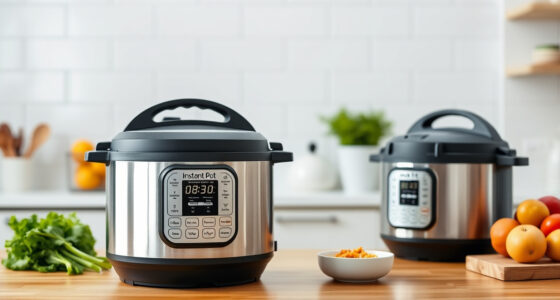

The Instant Pot is a versatile kitchen appliance that simplifies cooking. However, many users encounter the ‘Burn’ error message during pressure cooking, which can be frustrating. This guide explains the common causes of this error and provides clear, safe steps to resolve it, ensuring your cooking experience remains hassle-free.

Get kitchen gear delivered free with Prime
- Fast, free delivery on millions of items
- Prime Video, Amazon Music and more included
- Member-only deals all year
Follow these practical instructions carefully to fix the burn error and prevent it from recurring. Proper maintenance, correct usage, and understanding your Instant Pot will keep it functioning optimally.
Key Takeaways
| Common Causes | Food sticking to the bottom or overfilling can trigger the burn error. |
| Quick Fixes | Stirring, cleaning, and checking the sealing ring often resolve issues. |
| Prevention Tips | Use enough liquid and avoid overfilling to prevent burn errors. |
| Safety Reminder | Never force open the lid if the burn warning appears; always release pressure first. |
Understand the Burn Error
The burn error occurs when the Instant Pot detects food or liquid burning at the bottom. It’s a safety feature designed to prevent damage and ensure safe operation. Recognizing the causes helps you troubleshoot effectively.
Step-by-Step Fixes
- Release Pressure: Turn off the cooker and carefully release pressure using the quick-release method. Wait until all steam escapes and the float valve drops.
- Open the Lid and Inspect: Check for stuck food or burnt residue at the bottom of the inner pot.
- Clean the Inner Pot: Remove the inner pot and scrub off any burnt food with a non-abrasive sponge. Rinse thoroughly.
- Stir and Add Liquid: Before restarting, stir the ingredients and add enough liquid (at least 1 cup, depending on recipe) to prevent dry burning.
- Reassemble and Restart: Place the inner pot back, ensure the sealing ring is properly seated, then restart the cooking process, monitoring for any issues.
Tips to Prevent Burn Errors
- Always add sufficient liquid as per your recipe.
- Do not overfill the inner pot; stick to the max fill line.
- Use a natural pressure release if the burn warning appears early.
- Ensure the sealing ring is clean, properly fitted, and in good condition.
Warnings & Safety Tips
Never attempt to force open the lid while the pressure is still high. Always follow safety protocols when releasing pressure. Regularly inspect and replace worn parts, such as the sealing ring, to maintain safety and performance.
The Products in This Guide

Instant Pot 4QT RIO Mini 7-in-1 Multi-Cooker
- ✔ Weight: 7.9 lbs
- ✔ Power: 1000W
- ✔ Warranty: 1 year

AOZITA Steamer Basket
- ✔ Dimensions: Fits standard 6/8 qt pots
- ✔ Weight: 1.2 lbs
- ✔ Color: Silver
Instant Pot 4QT RIO Mini 7-in-1 Multi-Cooker
The Instant Pot 4QT RIO Mini offers a range of cooking options in a small, easy-to-store design. Perfect for small households, it simplifies meal prep with features like pressure cooking, slow cooking, sautéing, and more.
Pros:
- 7-in-1 functionality
- Compact size fits small spaces
- Easy to monitor with progress indicator
- Multi-purpose and versatile
Cons:
- Limited capacity for larger families
- May require frequent cleaning of parts
- Slight learning curve for new users
Best for: Small families, singles, students looking for a multifunctional cooker.
Not ideal for: Large families or those needing bigger capacity.
Bottom line: A versatile, space-saving cooker ideal for small households and quick meals.
AOZITA Steamer Basket
Enhance your Instant Pot experience with the AOZITA Steamer Basket. Its two-tier design allows for simultaneous cooking of different foods, making meal prep more efficient.
Pros:
- Two-tier stackable design
- Stainless steel mesh for durability
- Compatible with 6 and 8 quart models
- Versatile for steaming, boiling, and more
Cons:
- Requires space in the pot
- Cleaning small mesh baskets can be tedious
Best for: Cooking multiple ingredients at once, steaming vegetables, eggs, or pasta.
Not ideal for: Cooking large quantities or for bigger families.
Bottom line: A practical accessory to maximize your Instant Pot’s capabilities.
Frequently Asked Questions
What causes the Burn error on my Instant Pot?
The burn error typically occurs when food sticks to the bottom, overfills the pot, or when there isn’t enough liquid during pressure cooking.
How can I fix the Burn error quickly?
Release pressure safely, open the lid, clean any burnt residue, add enough liquid, and stir your ingredients before restarting.
Can I prevent the Burn error from happening?
Yes, ensure you add sufficient liquid, do not overfill, and stir ingredients well before cooking.
Is it safe to open the lid if I see the Burn warning?
No, always release the pressure first and wait until the float valve drops before opening the lid.
Keep Your Instant Pot Running Smoothly
Understanding the causes of the Burn error and following these troubleshooting steps can save you time and frustration. Regular maintenance, proper liquid levels, and careful ingredient placement are key to preventing future issues. With a little care, your Instant Pot will continue to be a reliable kitchen helper for years to come.
Affiliate disclosure: As an Amazon Associate we earn from qualifying purchases. Prices and availability are accurate as of the time of publishing.
Halloween Picks
halloween
As an affiliate, we earn on qualifying purchases.